

In this guide from Elyamama Store, we will break down the relationship between GPU and refresh rate explained simply. We will help you understand whether you need to upgrade your graphics card to match your monitor's speed and how to find the perfect balance for your gaming setup.
The Basics: GPU and Refresh Rate Explained
Before we dive into hardware requirements, we must clarify two terms that people often confuse: FPS (Frames Per Second) and Refresh Rate (Hz). Understanding these is the key to knowing if you need a powerful GPU for high refresh rate monitors.
What is Refresh Rate (Hz)?
Refresh rate, measured in Hertz (Hz), is a hardware specification of your monitor. It tells you how many times per second the screen can update the image. A 60Hz monitor refreshes 60 times a second, while a 144Hz monitor refreshes 144 times. The higher the number, the smoother the motion looks to your eyes.
What is FPS?
FPS is a measurement of how many frames your GPU can produce every second. This depends entirely on the power of your graphics card, the game's settings, and the complexity of the scene you are looking at.
FPS vs Refresh Rate: The "Handshake"
To get the best experience, your FPS should ideally match or exceed your monitor’s refresh rate. If you have a 144Hz monitor but your GPU only produces 60 FPS, you are essentially seeing a 60Hz experience. The monitor is ready to show more, but the GPU isn't providing enough data.
Conversely, if your GPU produces 200 FPS on a 60Hz monitor, you won't actually see those extra frames. In fact, you might experience "screen tearing" where the GPU sends frames faster than the monitor can display them. This is why high refresh rate monitor requirements always start with the graphics card.
Do You Need a Strong GPU for 240Hz or 144Hz?
The answer depends on what you play. Not all games require the same amount of power to reach high frame rates. We can generally split gaming into two categories:
1. Competitive Esports (Valorant, CS:GO, League of Legends)
These games are designed to run on almost anything. You don't necessarily need a top-tier RTX 4090 to hit 240Hz at 1080p in Valorant. A mid-range card or even a powerful integrated solution like the AMD Ryzen 5 Pro 5650G can push decent frames in lighter titles, though a dedicated GPU is always better for stability.
2. AAA Cinematic Games (Cyberpunk 2077, Alan Wake 2)
If you want to play these titles at 144Hz or higher, you need a beastly GPU. These games are graphically intensive. Pushing 144 frames per second at high settings requires massive amounts of VRAM and processing power. This is where a GPU for 240Hz gaming becomes a serious investment.
Recommended Monitors for Every Level
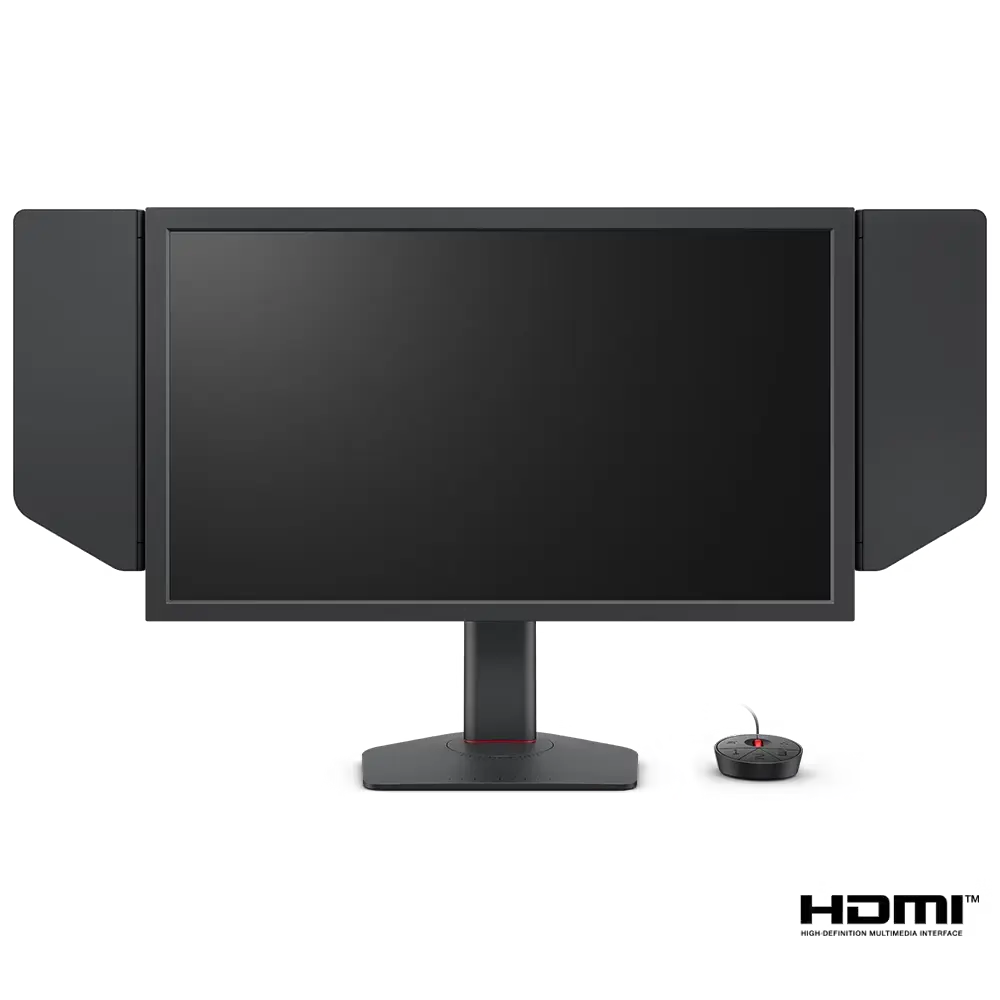
Choosing the right monitor involves matching it to your PC's power. Here are six top-tier options available at Elyamama Store that cater to different needs:



How Resolution Impacts GPU Performance
Resolution is the "tax" your GPU pays. The higher the resolution, the harder it is for the GPU to hit high frame rates. This is a crucial part of any 240Hz monitor GPU guide.
- 1080p (Full HD): The easiest on the GPU. Ideal for hitting 240Hz or 360Hz in competitive games.
- 1440p (QHD): The current "sweet spot." It offers better clarity than 1080p but requires a significantly more best graphics card for 144Hz gaming.
- 4K (UHD): Extremely demanding. Even the most powerful GPUs struggle to maintain 144 FPS in modern titles at native 4K.
Comparing GPU Needs for Different Refresh Rates
| Target Refresh Rate | Resolution | Recommended GPU Level | Typical Games |
|---|---|---|---|
| 144Hz | 1080p | Entry to Mid-Range (RTX 3060 / 4060) | Esports & Indie Games |
| 144Hz - 180Hz | 1440p | Mid to High-End (RTX 4070 / RX 7800 XT) | AAA Titles & Shooters |
| 240Hz+ | 1080p / 1440p | High-End (RTX 4080 / 4090) | Hardcore Competitive |
| 144Hz | 4K | Ultra-High-End (RTX 4090) | Cinematic Masterpieces |
The GPU Bottleneck: Gaming Monitor Edition
When we talk about a GPU bottleneck gaming monitor setup, we mean the graphics card is preventing the monitor from showing its true speed. If you have a monitor like the BenQ Zowie XL2586X (540Hz) but your GPU only hits 200 FPS, you have a 340Hz "waste" of potential.
To avoid this, you must look at your system as a whole. Sometimes, it isn't just the GPU. For high refresh rate gaming, your CPU actually plays a massive role. The CPU tells the GPU what to draw. If the CPU is slow, it can't send instructions fast enough to hit those 240+ FPS targets, no matter how powerful your GPU is.
Best Graphics Card for 144Hz: Finding the Value
You don't always need to spend a fortune. For a standard 144Hz gaming setup, modern mid-range cards are incredible. Thanks to technologies like DLSS (Deep Learning Super Sampling) and FSR (FidelityFX Super Resolution), GPUs can "upscale" images to provide higher frame rates without a massive loss in quality. This makes high refresh rate gaming more accessible to the Egyptian market.
Why Does a High Refresh Rate Matter Anyway?
If you've played on 60Hz your whole life, 144Hz will feel like magic. The cursor moves smoother on the desktop, and in games, everything feels more "connected." In fast-paced games like Call of Duty or Apex Legends, seeing an enemy a few milliseconds sooner can be the difference between winning and losing. This is why a high FPS gaming setup is the standard for anyone taking gaming seriously.
According to Nvidia's research on latency, higher frame rates significantly reduce system latency, making your inputs feel nearly instantaneous.
Summary of GPU Requirements for High Refresh Rate Gaming
- Analyze your games: Do you play LoL or Cyberpunk?
- Choose your resolution: 1080p is cheaper to drive; 1440p looks better.
- Match the GPU: Don't pair a 240Hz monitor with a budget office GPU.
- Don't forget the CPU: High Hz needs a fast processor to keep the GPU fed with data.
- Check your cables: Use DisplayPort for the best results.
Final Thoughts
A powerful GPU is absolutely necessary if you want to get the most out of a high refresh rate monitor. While you can "run" a 240Hz monitor on a weak GPU, you won't actually "see" 240Hz in most scenarios. Investing in a balanced gaming performance and refresh rate setup ensures that every Egyptian pound you spend translates into a smoother, more enjoyable gaming experience.
Whether you are looking for the extreme speed of a BenQ Zowie or the visual brilliance of a Samsung OLED, make sure your PC has the heart to beat at that rhythm.
Frequently Asked Questions
Can I use a 144Hz monitor with a weak GPU?
Yes, you can. The monitor will still work, and your Windows desktop will feel smoother. However, in demanding games, you won't reach 144 FPS, so you won't see the full benefit of the high refresh rate during gameplay.
Does a high refresh rate monitor lower my FPS?
No. The monitor does not affect how many frames your GPU can produce. It only affects how many of those frames you can actually see. Increasing resolution (e.g., going from 1080p to 1440p) is what lowers FPS.
Is 144Hz enough for gaming in 2024?
For most people, 144Hz is the perfect balance. It provides a massive jump in smoothness over 60Hz. 240Hz and higher are generally reserved for professional or highly competitive players who need every microsecond of advantage.
Will a better HDMI cable help my GPU hit higher Hz?
A cable won't help your GPU produce more frames, but an old or cheap cable might limit the signal. To reach 144Hz or 240Hz, you need an HDMI 2.0/2.1 or, preferably, a DisplayPort 1.4 cable.
Do I need a powerful GPU for a 100Hz monitor?
A 100Hz monitor like the BenQ GW2790 is much easier to drive than a 240Hz one. Most modern mid-range GPUs can easily handle 100 FPS in a wide variety of games, making it a great budget-friendly high refresh rate option.